In a 45-minute meeting at our Palm Desert office, we review your electric bill, property, outage priorities, and budget before discussing solar, battery storage, and the work required at your home.
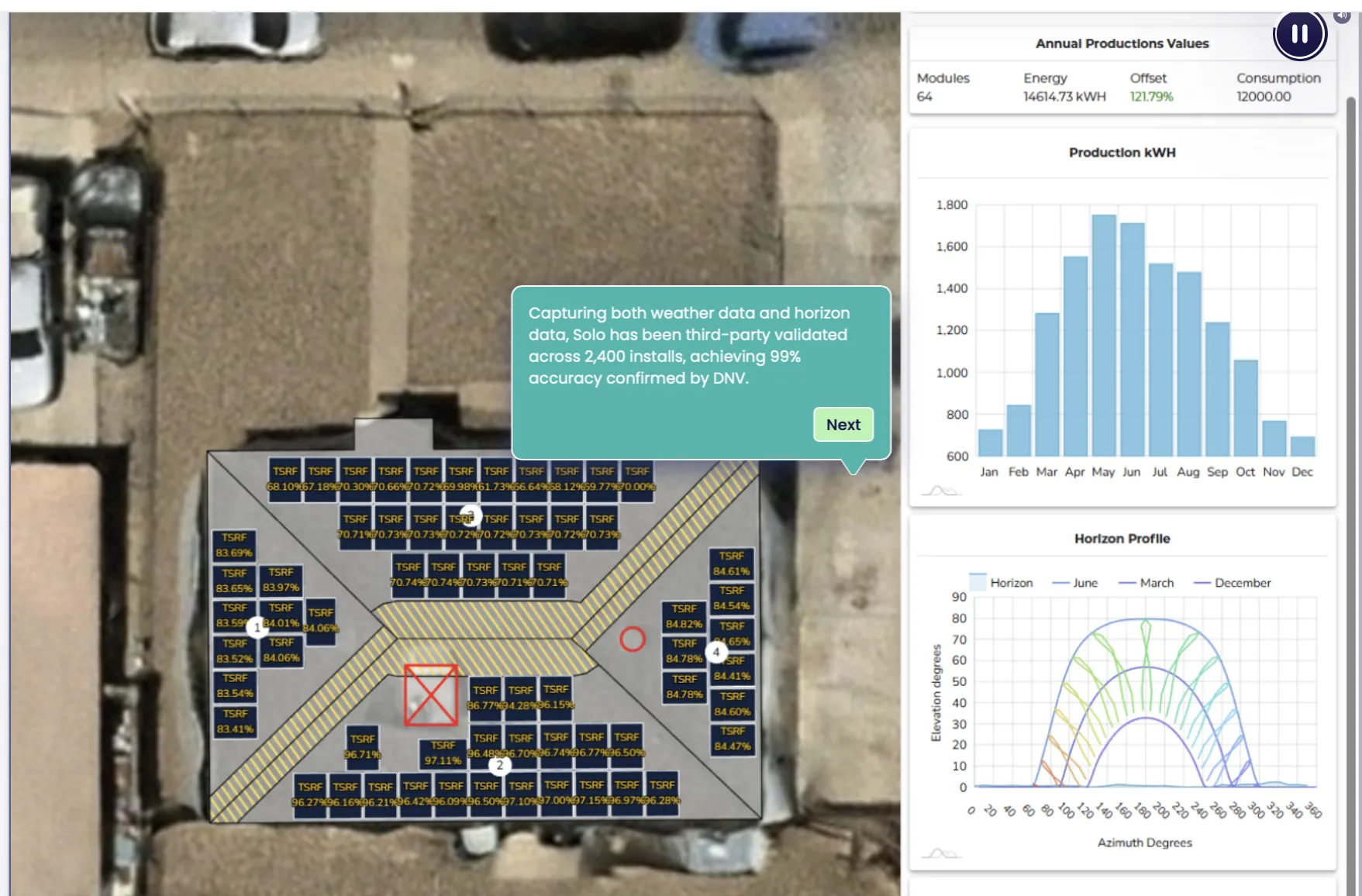
We use the planning screens during the appointment so you can see how roof area, shade, electricity use, battery capacity, and payment assumptions affect the proposed system.
Meeting45 minutes in Palm Desert
ReviewedRoof, usage, storage, cost
Follow-upSite visit and written proposal
Consultant planning viewUsed in the appointment
Consultant working view
See the assumptions before they become a proposal.
During the appointment, the Design Consultant reviews your property, electricity use, battery goals, backup priorities, and payment direction on screen. A site visit is still required before the design and proposal are final.
A Mycrogrid® Design Consultant works from your property and electricity use—not a preset package. The screen keeps roof, production, storage, electrical work, and cost assumptions visible while you talk.
Before you arrive
Bring a recent electric bill
A recent bill gives us a useful starting point for annual usage, rate structure, and seasonal demand. Bring any questions about outages, an EV, a pool, a generator, or planned electrical work.
We use the planning screens to compare production assumptions, battery capacity, backup priorities, monitoring, and payment direction before a proposal is written.
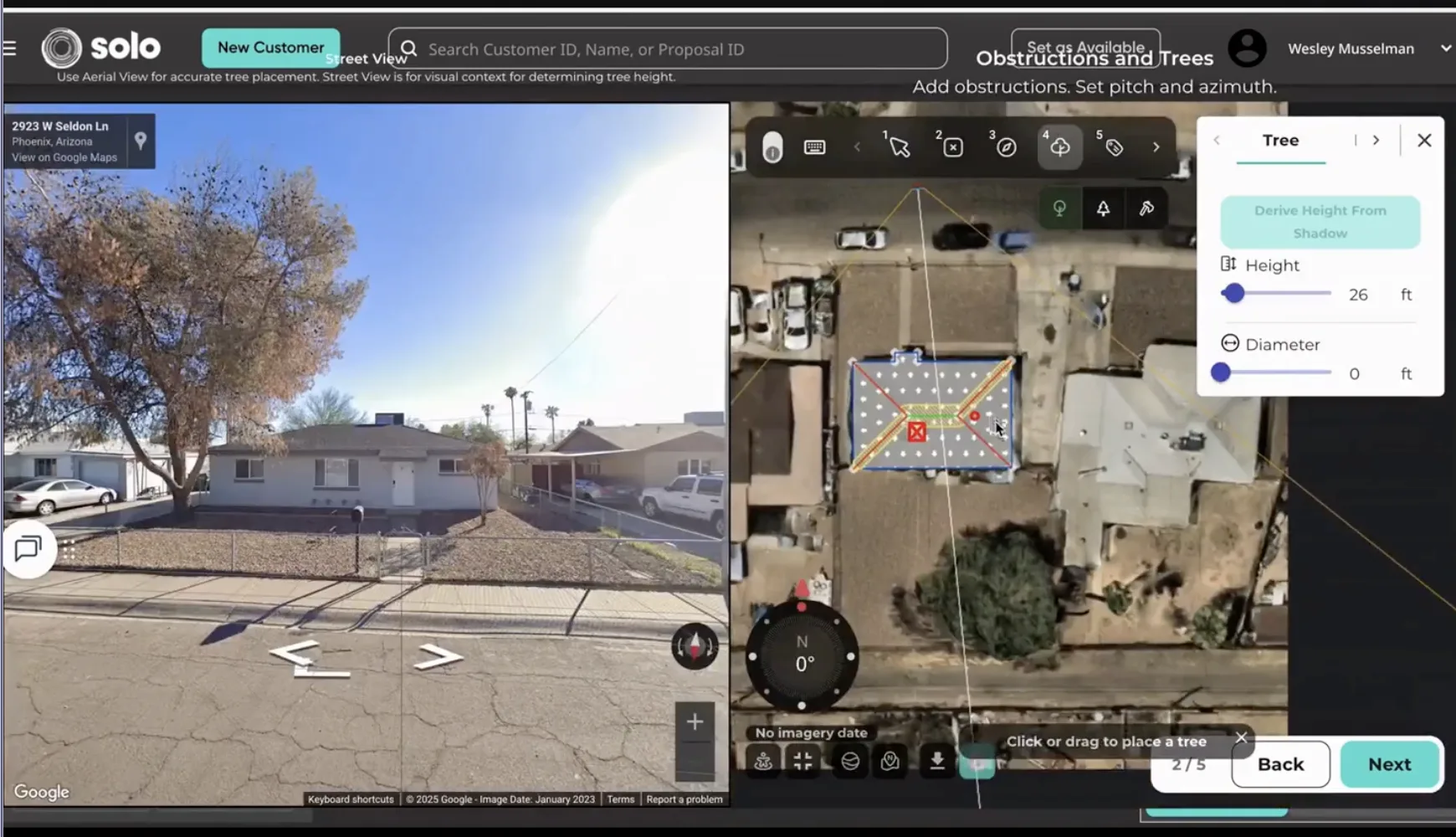
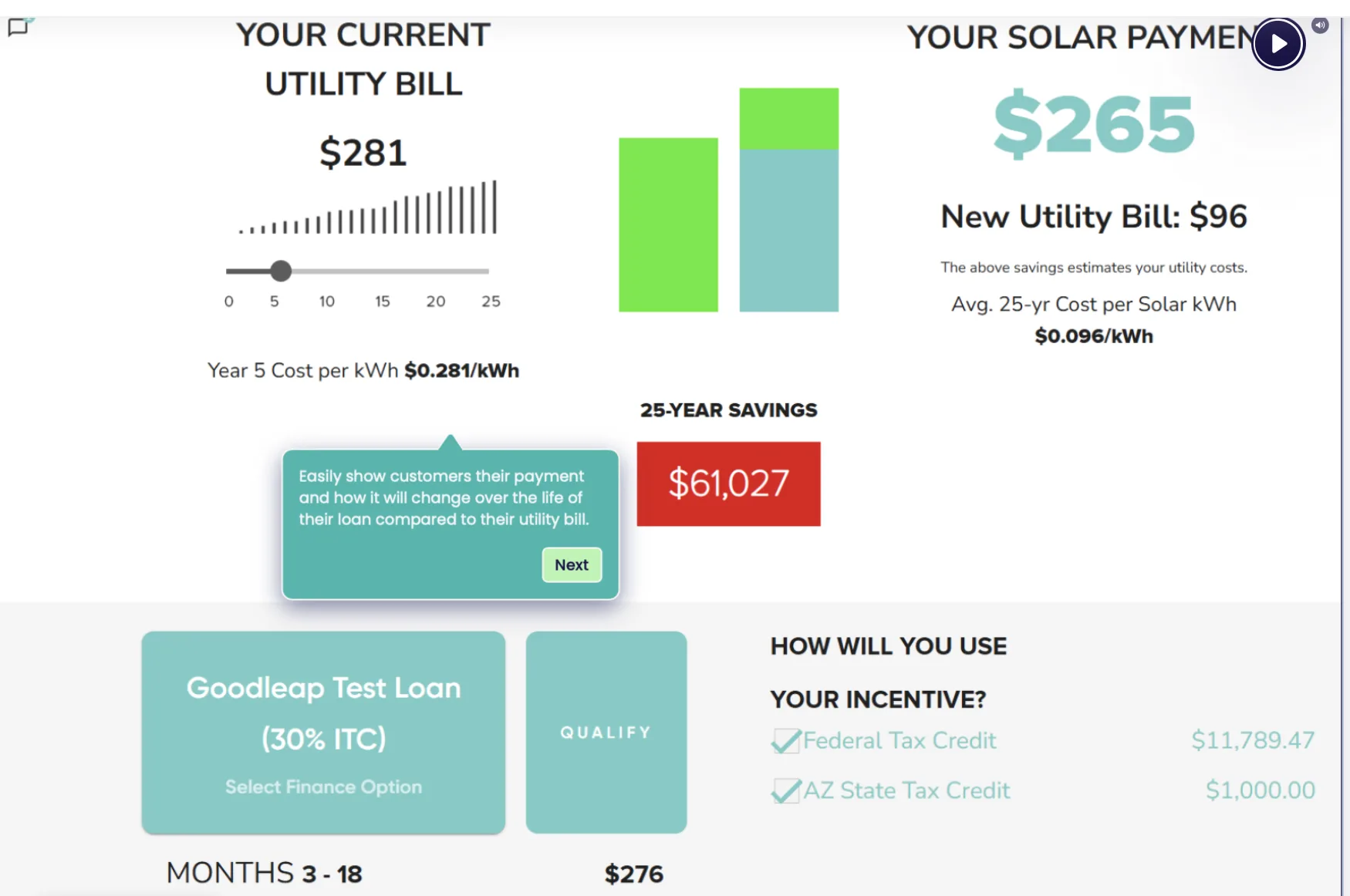
These are the working views used to inspect roof conditions, check production assumptions, and compare the projected payment with the current utility bill.
Roof and obstruction review
Street imagery and the aerial roof layout make tree placement, roof pitch, and shade assumptions easy to inspect.
Payment and proposal readout
Current utility cost, projected system payment, and long-term savings appear in one view so the comparison can be checked line by line.
From appointment to proposal
The first meeting is not a final design or quote. It establishes the property, loads, priorities, and likely system direction. A site visit and written proposal come next if the project makes sense.
Bring a recent electric bill if you have one, plus questions about outages, future loads, the roof, or existing electrical equipment.
Work through the options
The Design Consultant reviews roof fit, production, storage, backup loads, monitoring, electrical work, and payment direction.
Confirm the property
If the project is a fit, the team schedules a site visit before issuing the final design and written proposal.
No design is final at the appointment.Roof, electrical, access, and equipment details must be confirmed on site before the written proposal is complete.
The system remains visible after installation.
The design meeting establishes what the equipment should do. After installation, Mycroguard™ gives the team a continuing view of production, storage, and system status.